Categories
Tags
Archives
Logitech H390 Headset Review – All the Important Details
-
Are you someone who prefers a wired connection for work, gaming, or online learning? Do you want a headset that offers great performance at an affordable price?
If yes, the Logitech H390 Stereo USB Headset is worth checking out. Equipped with a noise-cancelling microphone and inline controls, it comes with USB-A or USB-C connectivity, making it ideal for work, gaming, and schooling for kids.
I personally tested the H390 for work calls, virtual meetings, and even Skype classes for my children over two weeks. Here’s my detailed review covering features, pros and cons, and recommendations so you can decide whether it’s right for you.
Logitech H390 Overview
The Logitech H390 Stereo USB Headset is a budget-friendly wired headset with USB-A and USB-C connectivity. It features plug-and-play functionality, inline controls for mute/unmute and volume adjustment, and a noise-cancelling microphone.
Its 30 mm fine-tuned drivers and digital stereo sound provide clear audio for calls, webinars, and online classes. Compatible with Windows, macOS, and ChromeOS, it has a 6.23 ft (1.9 m) cable that gives flexibility to stand or stretch while staying connected. Its plug-and-play design is also perfect for kids, as it requires no software installation.
Key Features of the Logitech H390
Rotatable Noise-Cancelling Microphone
The adjustable microphone effectively reduces background noise. When not in use, it can be tucked away. This was especially useful during music or casual listening.
Plug-and-Play Functionality
The headset connects instantly via USB-A or USB-C without any software installation. My kids could easily join online classes using Skype with no setup hassles.
6.23 ft Long Cable
The long cord lets you move slightly away from your desk without missing a call or breaking concentration during long work sessions.
Comfortable On-Ear Design with Adjustable Headband
Adjustable headbands and plush ear cups make it comfortable for long hours. I was able to use it during an 8-hour workday with no discomfort.
Handy Inline Controls
Volume and mute/unmute controls on the cord let you manage calls without returning to your PC.
Cross-Platform Compatibility
Works seamlessly with Windows OS, Mac OS, and Chrome OS, making it versatile for multiple devices.
Fine-Tuned Drivers for Clear Audio
Laser-tuned 30 mm audio drivers provide crisp, clear sound for voice calls, webinars, and online classes.
Lightweight and Durable
Weighing only 0.43–0.44 lbs, it’s comfortable and durable for daily use.
Sustainable Construction
Made with recycled plastics and FSC-certified materials, the H390 helps reduce landfills. Logitech even mentions its carbon footprint clearly, supporting eco-conscious choices.
Pros of Logitech H390
-
Budget-friendly ($24.99)
-
Plug-and-play connectivity (USB-A/USB-C)
-
Rotatable noise-cancelling microphone
-
Comfortable, adjustable headband and padded ear cups
-
Inline controls for volume and mute/unmute
-
Available in Black, Off-white, and Rose
-
Compatible with Windows, Mac, and Chrome OS
-
Eco-friendly and sustainable construction
Cons to Consider
-
On-ear design may affect high-fidelity sound
-
Ear cups can get warm during extended use
-
Lacks call handling features
-
Limited movement despite a long cable
Alternatives to Consider
If you want more comfort or enhanced features:
-
Logitech H570e (Stereo or Mono) – more durable
-
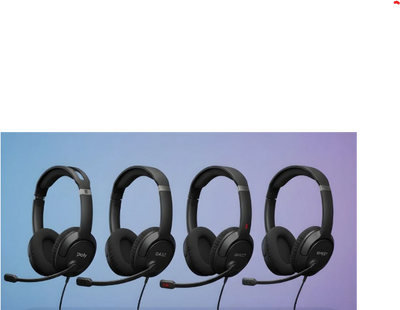
Poly Blackwire 3220/3210 – better noise-cancelling microphone
-
Logitech G432, H540, H650e – additional alternatives for gaming or office use
FAQ – Logitech H390
Q1: Is the Logitech H390 comfortable for long sessions?
A: Yes, the lightweight design, padded ear cups, and adjustable headband make it suitable for extended use.Q2: Can it reduce background noise effectively?
A: Yes, the noise-cancelling microphone minimizes ambient noise during calls.Q3: Is software installation required?
A: No, it’s plug-and-play via USB-A or USB-C.Q4: Does it work with multiple operating systems?
A: Absolutely, it’s compatible with Windows OS, Mac OS, and Chrome OS.Q5: Is the H390 eco-friendly?
A: Yes, it’s made with recycled plastics and FSC-certified materials, reducing environmental impact.Final Recommendation
The Logitech H390 USB Headset is an excellent choice for work, gaming, and schooling, especially if you prefer wired reliability and budget-friendly pricing. It offers clear audio, comfort, inline controls, and eco-conscious construction. I would rate it 9/10 for overall performance, sustainability, and usability.
For more expert reviews and guides on headsets like the Logitech H390, check out our detailed blog here: Logitech H390 Review: All You Need to Know.
-


